How to Install MyHorseDiary as a Web App
Add MyHorseDiary to your home screen for quick access — just like a regular app!
On Android (Chrome Browser)
-
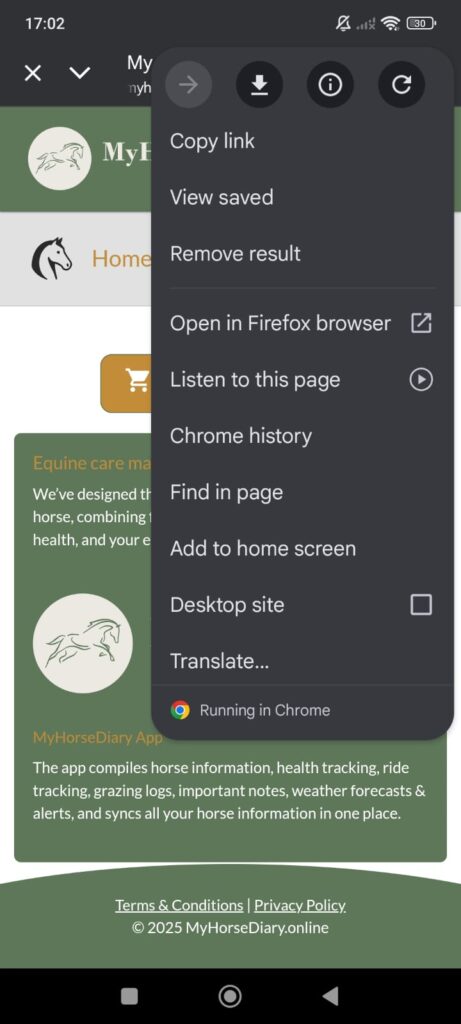
- Open MyHorseDiary.online in Chrome.
- Tap the ⋮ menu in the top-right corner.
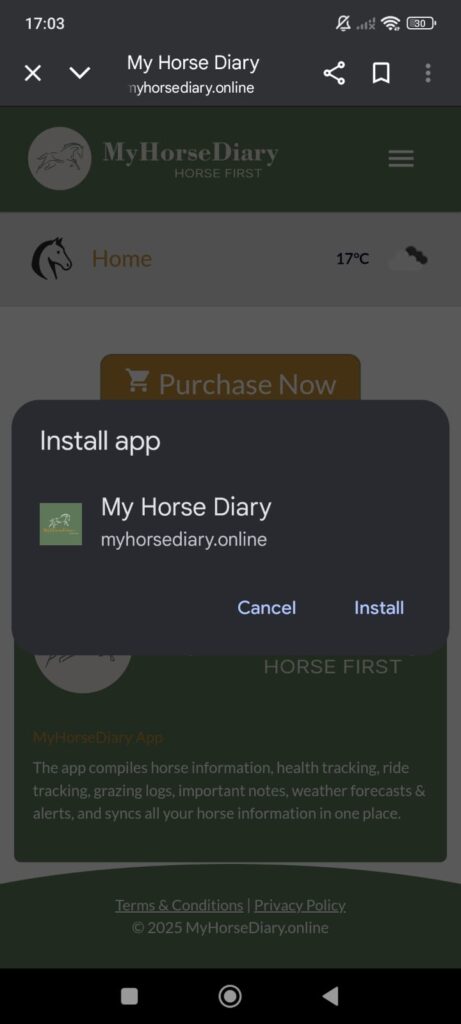
- Select Add to Home screen.
- Tap Add and it will appear on your home screen like an app.
On iPhone / iPad (Safari Browser)
Note: iOS only allows Add to Home Screen using Safari — not Chrome.
- Open MyHorseDiary.online in Safari.
- Tap the Share icon (square with an arrow).
- Scroll down and tap Add to Home Screen.
- Tap Add to finish.
On Desktop (Chrome)
You can also install MyHorseDiary as a desktop app.
- Open MyHorseDiary.online in Chrome.
- Look for the Install icon in the address bar (a monitor with a download arrow).
- Click Install.
- The app will open in its own window for fast access.
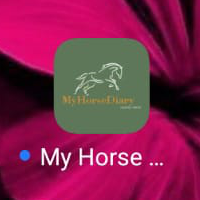 You’re Done!
You now have instant, app-style access to MyHorseDiary on your device.